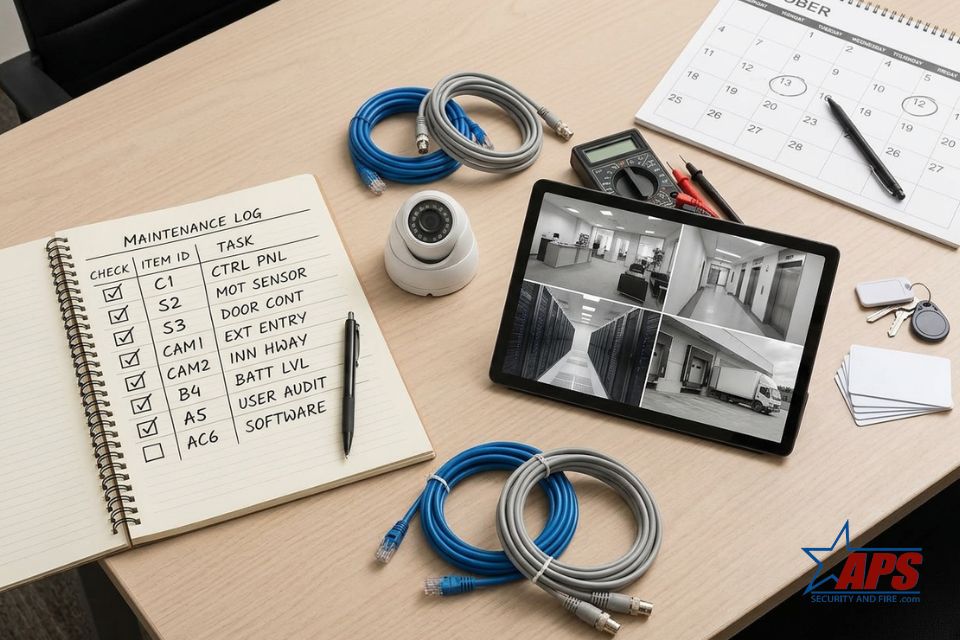
Commercial security systems work best when they are treated as critical equipment, not “set it and forget it” technology. An annual maintenance checklist helps you catch small issues early, maintain reliable coverage, and ensure your system remains aligned with how your business operates.
Businesses often turn to APS Security and Fire for guidance on what to check each year and how to keep alarms, cameras, and access control working together. The yearly steps below can help you review your own commercial security systems and decide when it is time to bring in professional support.
Review System Design and Coverage
Start each year by looking at whether your current commercial security systems still fit your building and operations. If you have added inventory, changed floor layouts, or opened new entrances, your original design may leave gaps.
Walk key areas such as:
- Main entrances and public lobbies
- Loading docks and delivery areas
- Storage rooms, stockrooms, and server rooms
- Cash-handling points and offices that hold sensitive records
Confirm that cameras, intrusion detection devices, and access control readers continue to adequately cover these spaces, and note any blind spots or new high-risk areas that require attention.
Inspect Intrusion Alarms and Sensors
Door contacts, motion detectors, and glass-break sensors are your first line of defense after hours. At least once a year, visually inspect these devices for damage, loose wiring, or missing covers, and confirm that doors and windows close securely against their contacts.
Schedule a full system test when the business is closed. Arm the system and trigger each zone one by one to verify that alarms report correctly, monitoring receives the signal, and any sirens or strobes activate as expected. Make sure staff contact lists and passcodes are up to date.
Check Cameras, Recording, and Storage
Commercial security systems often rely on video for investigations and liability protection. Once a year, review every camera feed to confirm that lenses are clean, focus is sharp, and new signs, décor, or equipment do not block views. Adjust angles where needed to restore coverage of doors, aisles, and exterior approaches.
As part of your yearly checklist:
- Confirm your recorder or video management system captures and stores footage for the required time.
- Verify date and time settings are accurate across all devices.
- Check storage drives for healthy status and sufficient capacity.
- Make sure you can easily export clips if you need to share evidence.
Test Access Control and Credentials
If your building uses electronic access control, include it in your yearly commercial security systems checklist. Test card readers, keypads, and electronic locks on main doors and restricted areas to make sure they respond quickly and reliably.
Review user access levels and remove credentials for former employees, vendors, or temporary workers who no longer need entry. This is also a good time to adjust schedules, such as door unlock times, to match current hours of operation and reduce unnecessary exposure.
Update Documentation, Training, and Policies
Even the best equipment can fail if people do not know how to use it. Each year, review written procedures for arming and disarming the system, responding to alarms, and handling after-hours access. Update these documents when technology or staffing changes.
Provide a brief refresher training session for managers or keyholders on operating commercial security systems, viewing video footage, and contacting your provider or monitoring center. Clear expectations reduce false alarms and help staff respond more confidently during an incident.
Partnering with APS Security and Fire
An annual maintenance checklist keeps your commercial security systems aligned with your business, but some tasks are easier with professional support. A trained technician can spot failing devices, software issues, and code-related concerns that are easy to miss during a quick walkthrough.
If you want help creating or completing a yearly maintenance plan for your Central Florida commercial security systems, contact APS Security and Fire today. Their team can review your current setup, recommend updates, and schedule regular service to keep your business protected year-round.